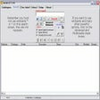
Create, format, export, and print detailed file and folder lists with flexible sorting and filtering
Create, format, export, and print detailed file and folder lists with flexible sorting and filtering
Vote (11 votes)
Program license Free
Developer Infonautics GmbH
Version 4.23
Works under Windows
Vote
(11 votes)
Developer
Infonautics GmbH
Works under
Windows
Program license
Free
Version
4.23
Pros
- Highly customizable file and folder listing
- Multiple export formats: text, CSV, Word, HTML
- User-friendly with helpful filters and sorting options
- Supports batch processing and command line use
- Fast directory scanning, even with large structures
Cons
- Advanced features require paid Pro version
- User interface appears outdated compared to modern utilities
- No automatic listing updates for monitored folders
Generate customizable file and folder lists, export, and print with ease.
Efficient Directory Listing for Windows Users
Directory List & Print is a specialized utility designed for users who need an accurate and formatted overview of files and folders on their system. Tailored for Windows, it streamlines the task of cataloging directory contents, making it a practical tool for both personal organization and professional inventory needs.
Simple Interface and Fast Navigation
The application uses a straightforward interface where directories can be selected quickly via a built-in file-browser tree. Its layout is divided into clear sections: directory selection, list options, formatting controls, and export actions. This intuitive structure lets both beginners and experienced users generate comprehensive folder listings without encountering a steep learning curve.
Customizable Viewing and Sorting Options
With Directory List & Print, users can decide exactly which file details to include—such as name, extension, size, date, path, and attributes. Filters can be applied individually, allowing sorting by name, size, modified date, or other properties. There is also support for recursively listing subfolders and excluding specific files using wildcards, which helps tailor reports to unique requirements.
Export and Output Flexibility
Finished lists can be output in multiple formats. Options include direct printing, copying to clipboard, or exporting to files such as plain text, CSV for spreadsheet use, Microsoft Word, and HTML. This versatility ensures compatibility with workflows that require further editing, sharing, or archival.
Batch Operations and Extra Utilities
Advanced users benefit from features like batch processing for handling multiple directories, and inclusion of additional data such as CRC32 checksums for file verification. The software also supports command line operation, lending itself to automation or integration with scripts—a plus for IT professionals managing large file sets.
Free and Pro Versions
Directory List & Print is available as a free edition, offering core capabilities for basic listing and output needs. An upgrade to the Pro version unlocks enhanced export formats, more complex filtering, additional layout controls, and other advanced options, providing extra value for users with demanding requirements.
Pros
- Highly customizable file and folder listing
- Multiple export formats: text, CSV, Word, HTML
- User-friendly with helpful filters and sorting options
- Supports batch processing and command line use
- Fast directory scanning, even with large structures
Cons
- Advanced features require paid Pro version
- User interface appears outdated compared to modern utilities
- No automatic listing updates for monitored folders